Start it and read the results
Start sends the emails in the background. The results page shows the funnel and a row for every person.
A campaign can be edited while it is a draft. Press Start when ready. The CRM saves the draft again first, so the audience is worked out at that moment.
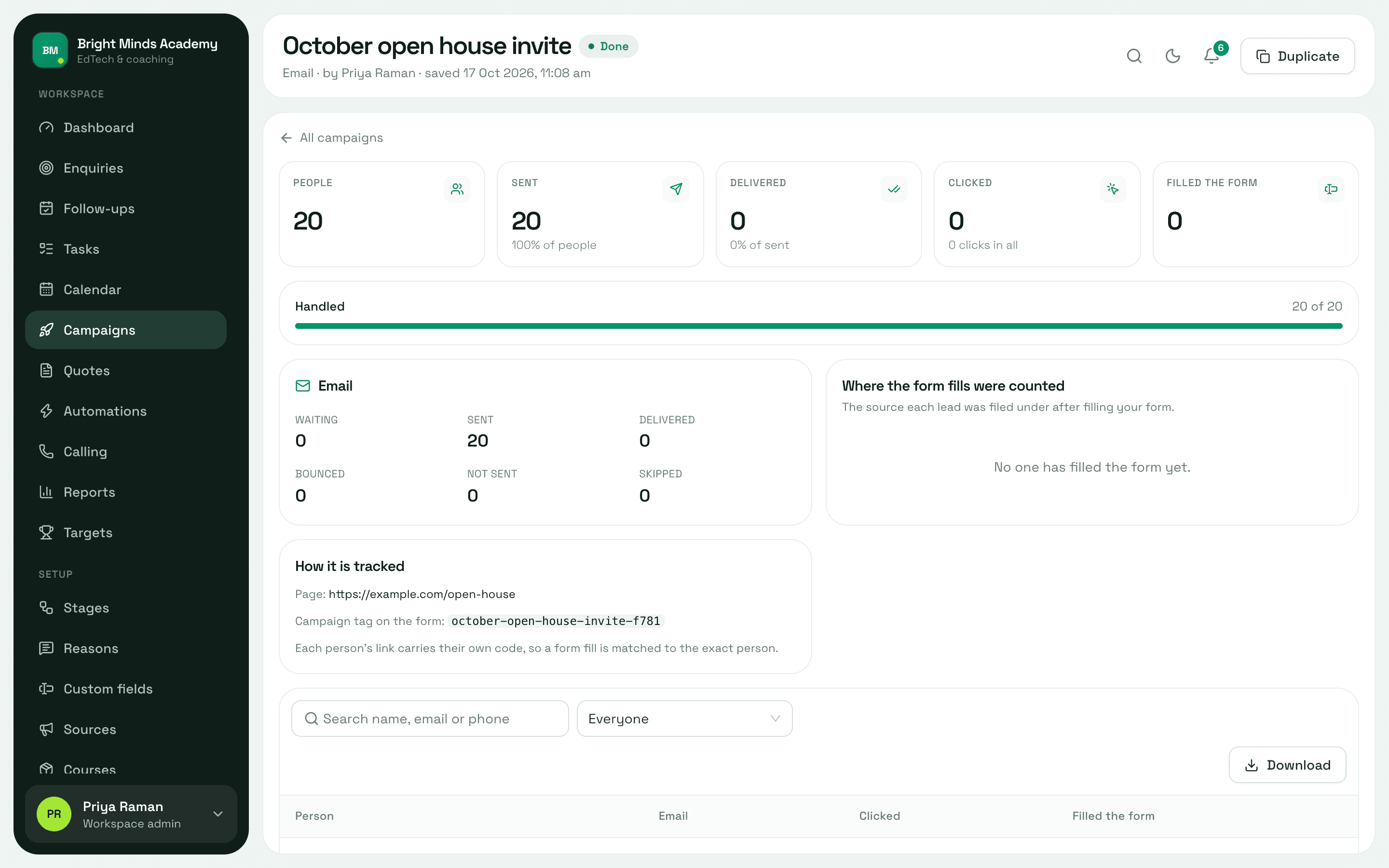
While and after it runs
- A background job writes a row for each person and queues their email through the normal email sender. So email logs, retries, delivery news and unsubscribe all apply.
- A campaign that would pass today's email limit is refused up front.
The results page
| Part | Shows |
|---|---|
| Funnel tiles | How many were sent, reached, clicked the link and filled your form |
| Per channel | The same numbers for each way it was sent |
| Form fills by source | Which sources the fills landed on |
| Recipients table | One row per person with their outcome. Filter by outcome, search, Load more |
| Download | A CSV of the recipients |
Read next
Something missing or unclear? Tell us and we will fix this page.