Leads
Find, add, work and organise your leads: the list, a lead's own page, follow-ups, calls, bulk changes, import and export.
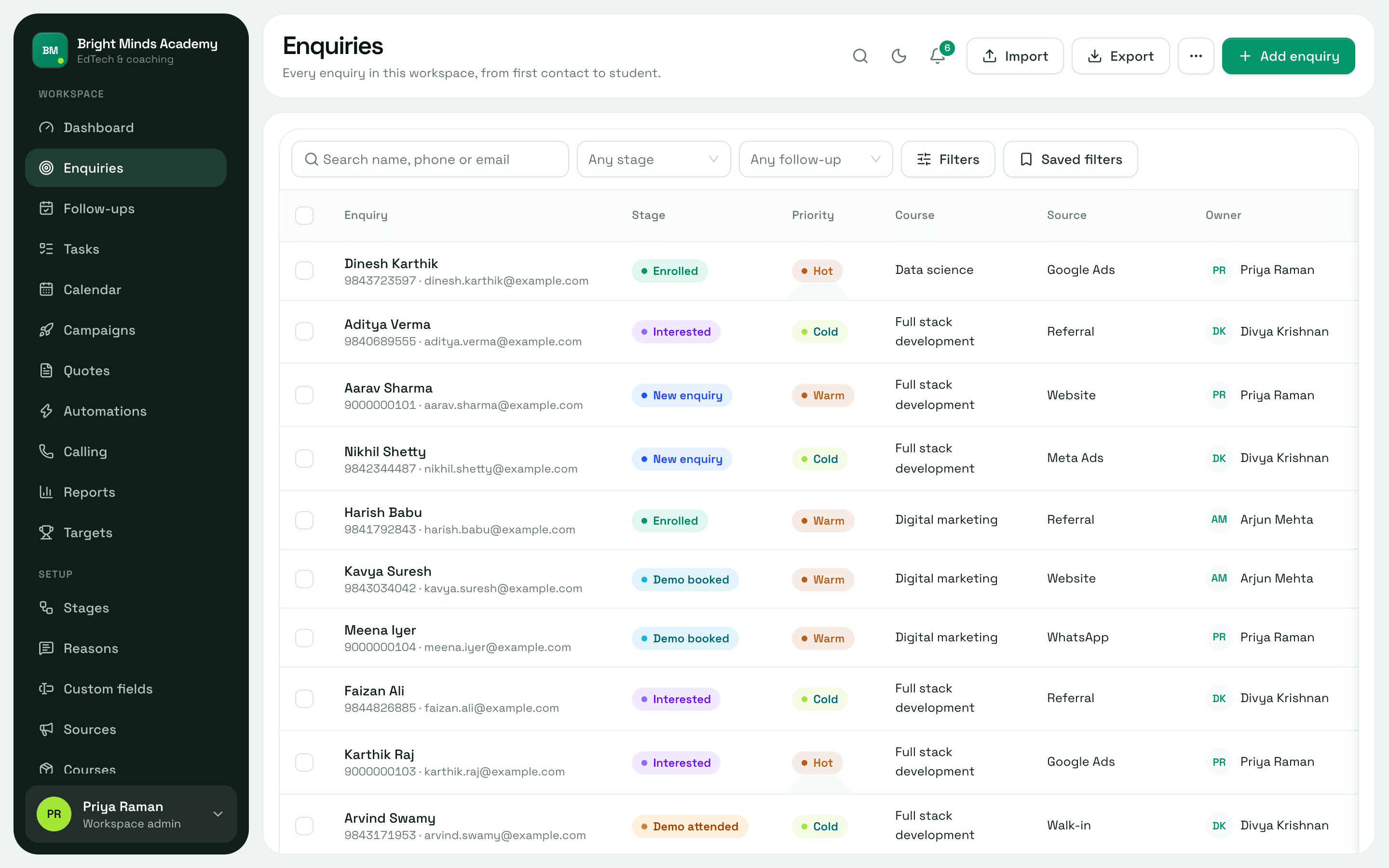
Leads are the heart of the CRM. Everyone who enquires becomes a lead, and everything that happens with them is kept on their page. Depending on your industry the menu item is called Leads or Enquiries.
Who sees which leads
A person with permission to view all leads (admins, usually) sees every lead. Everyone else sees their own leads, plus those of anyone who reports to them, plus the leads of branches they look after. The same rule applies in the list, reports, exports and campaigns. See who can see what.
Where to start
| I want to… | Go to |
|---|---|
| Find a lead | Search and filters |
| Add one lead | Add a lead |
| Add hundreds at once | Import |
| See what to do today | Follow-ups |
| Change many leads at once | Bulk actions |
| Understand a lead's history | The lead page |
In this section
The leads listA table of your leads with search, filters, saved views and the columns you choose. It stays quick with lakhs of leads.Add a leadType in a lead you met or called. The form has four short sections, and only a name and a phone or email are required.The lead pageEverything about one lead: details on the left, history on the right, actions at the top.Moving a lead between stagesMove a lead along your pipeline, and what the CRM asks for when the stage needs a reason, a date or a file.Repeat enquiries and “came back”When a known person enquires again, they're added to the same lead, and the lead is flagged so someone acts.Follow-upsYour daily work list: what is late, what is due today, and what is coming up.Calls and contacting leadsCall, WhatsApp and note the call, with respect for “do not call”.Bulk actionsChange many leads at once: assign them, move them to a stage, or email them.Import and exportBring a spreadsheet of leads in, and take your leads out. Both run in the background, so large files are fine.Priority, tags and expected valueThree optional extras that make a list easier to read and sort.
Something missing or unclear? Tell us and we will fix this page.