Add a lead
Type in a lead you met or called. The form has four short sections, and only a name and a phone or email are required.
Press Add lead at the top of the list. You need a name and a phone number or an email. Everything else is optional, and you can fill it in later.
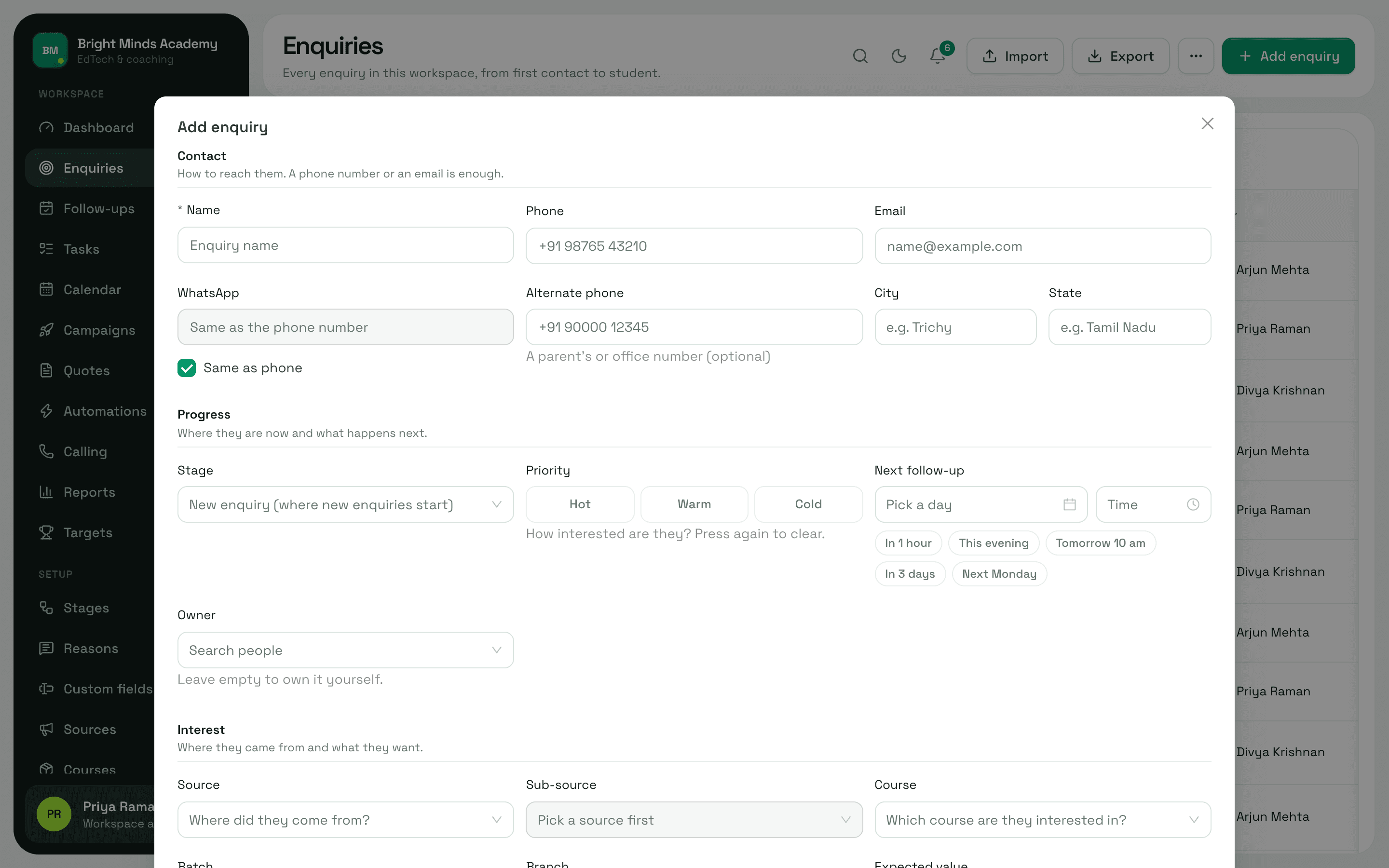
The form
| Section | What is in it |
|---|---|
| Contact | Name, phone, email, WhatsApp (“Same as phone” copies it), alternate phone, city, state |
| Progress | Stage, owner, next follow-up, priority (Hot, Warm, Cold), reason when the stage needs one |
| Interest | Source, sub-source, course, branch, batch |
| More details | Your own custom fields |
| More | Tags, expected value in ₹, “Do not call”, and a first note |
Choosing the owner
Left alone, you own the lead. Pick a person, Unassigned, or Auto-assign to let your assignment rules choose. Choosing anyone but yourself needs the permission to assign leads.
Before it saves
The CRM checks whether a lead with the same phone or email already exists. See duplicates.
In this section
Read next
Something missing or unclear? Tell us and we will fix this page.