The lead page
Everything about one lead: details on the left, history on the right, actions at the top.
Click a lead's name to open its page. The left side shows who they are and where they stand. The right side holds the tabs: Timeline, Tasks, Notes, Files and Enquiries.
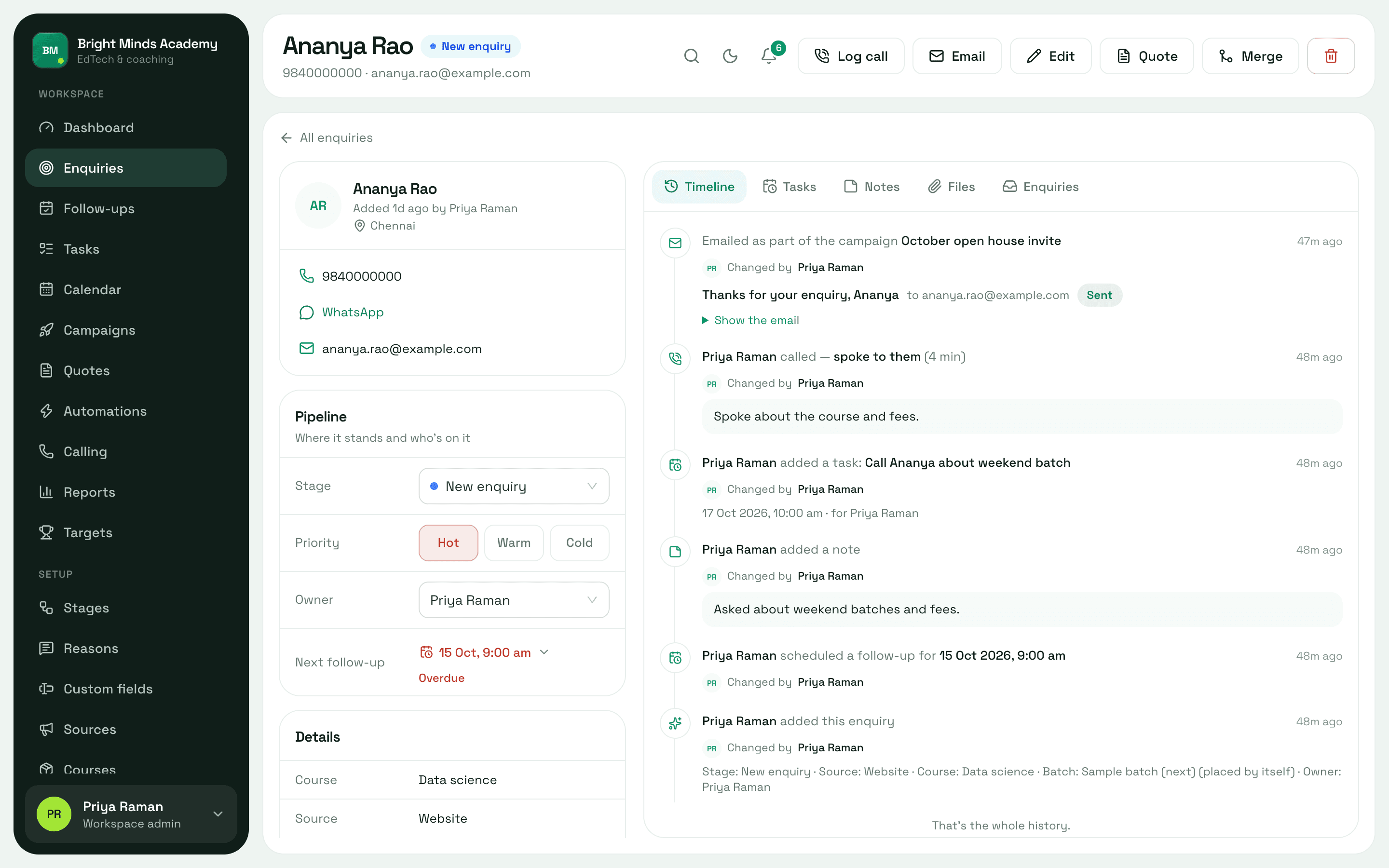
The buttons at the top
| Button | Does |
|---|---|
| Log call | Write down a call |
| Send an email from a template or from scratch | |
| Edit | Change any detail |
| Quote | Make a quote for this lead |
| Merge | Fold a duplicate into this lead |
| Delete (bin) | Delete the lead |
In this section
The summary cardStage, priority, owner and next follow-up, changeable in one click.The timelineA running record of everything that happened to the lead, written by the system as it happens.NotesWrite down what was said, so the next person doesn't have to ask again.Tasks on a leadTo-dos and meetings about this lead, in one place.FilesDocuments kept with the lead: receipts, ID proofs, offer letters.EnquiriesEvery time this person got in touch, with the page, campaign and message each time.Merge duplicate leadsFold a second lead for the same person into this one. Nothing is lost.Delete a leadRemove a lead from the list. It is kept behind the scenes, so the history stays consistent.
Something missing or unclear? Tell us and we will fix this page.