Your website form
Put a form on your site and every submission becomes a lead, with the page and campaign it came from.
The easiest way to start. You make a connection, copy the code it produces, and paste it into your site. The form works on any website or landing page.
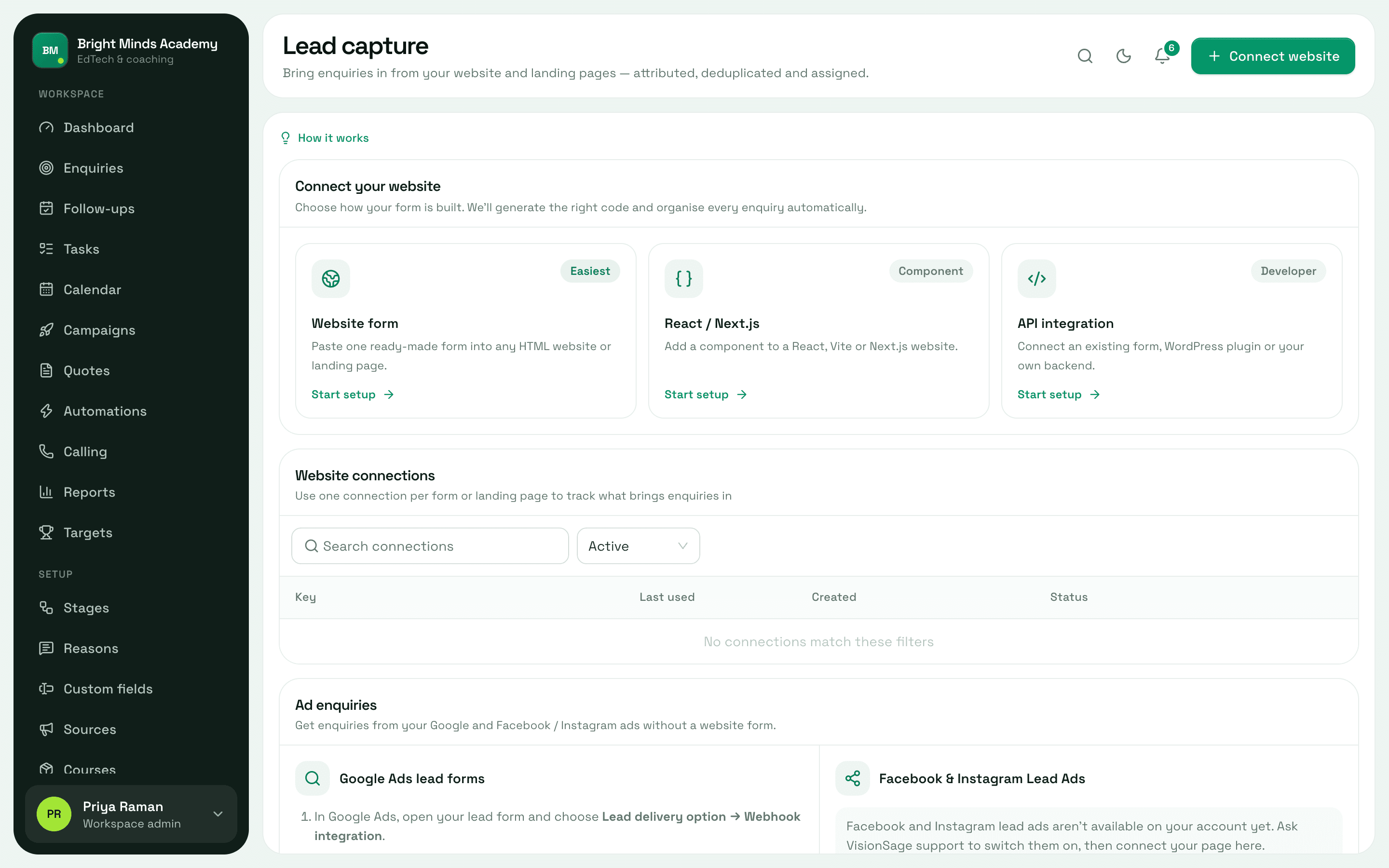
- 1Make a connectionUnder Connect your website, choose how your form is built (Website form, React / Next.js or API) and name it after the form (“Contact page”).
- 2Choose the fieldsTick which questions to ask. Name is always asked.
- 3Copy the codePaste it into your website where the form should appear.
- 4Send a testSubmit the form once. The connection changes to Receiving leads.
In this section
Connect your websiteA connection is a key that lets one form add leads. Make one per form, so you can see which is working.Form fields and the course dropdownChoose what the form asks. Tick Course and visitors pick from your own list.The code to pasteThree ready-made options: plain HTML, a React component, or an API call for anything else.Tracking where visitors came fromThe form remembers how someone reached your site, even if they came back days later.Test and troubleshootCheck a form works, and what to do when leads don't arrive.
Read next
Something missing or unclear? Tell us and we will fix this page.