The calendar
Day, Week, Month and Agenda views of everything you have planned.
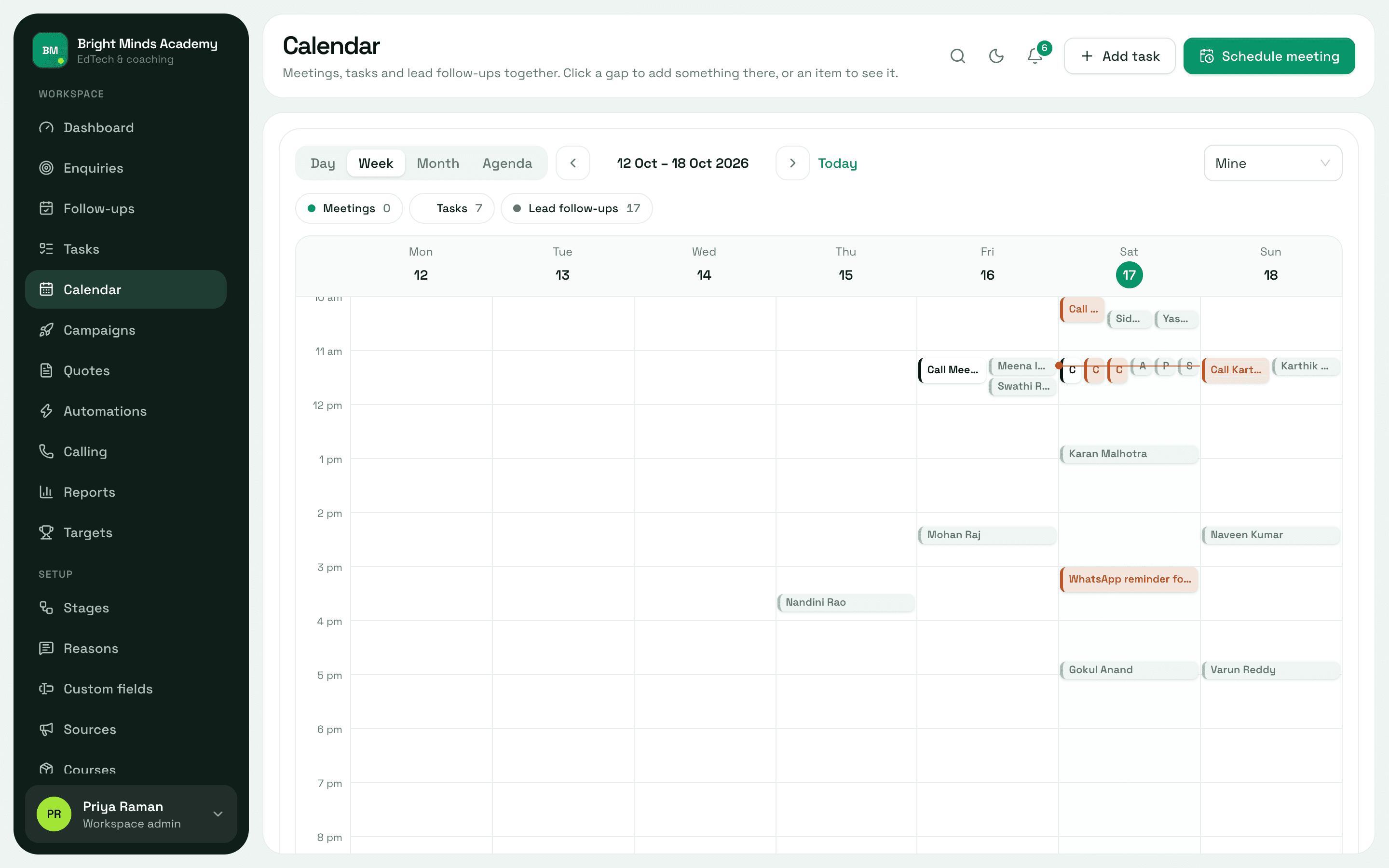
Open Calendar. Switch views at the top, and use the toggles to show or hide meetings, tasks and lead follow-ups (each with its count).
| View | Good for |
|---|---|
| Day / Week | Hours down the side. Items sit where they happen. Overlaps sit side by side. A red line marks now. |
| Month | The whole month. “+N more” or a double-click opens that day, with its list below. |
| Agenda | The next two weeks, day by day |
Do things from the calendar
- Click a gap in Day or Week to schedule something at that time.
- Click an item to open it, with the same actions as in the list.
- Drag a task or meeting to a new time and day in 15-minute steps. A meeting keeps its length. Lead follow-ups and finished items don't move.
Something missing or unclear? Tell us and we will fix this page.