The dashboard
What needs you today, how new leads are trending, and your own progress.
The first page after you sign in. It has three parts.
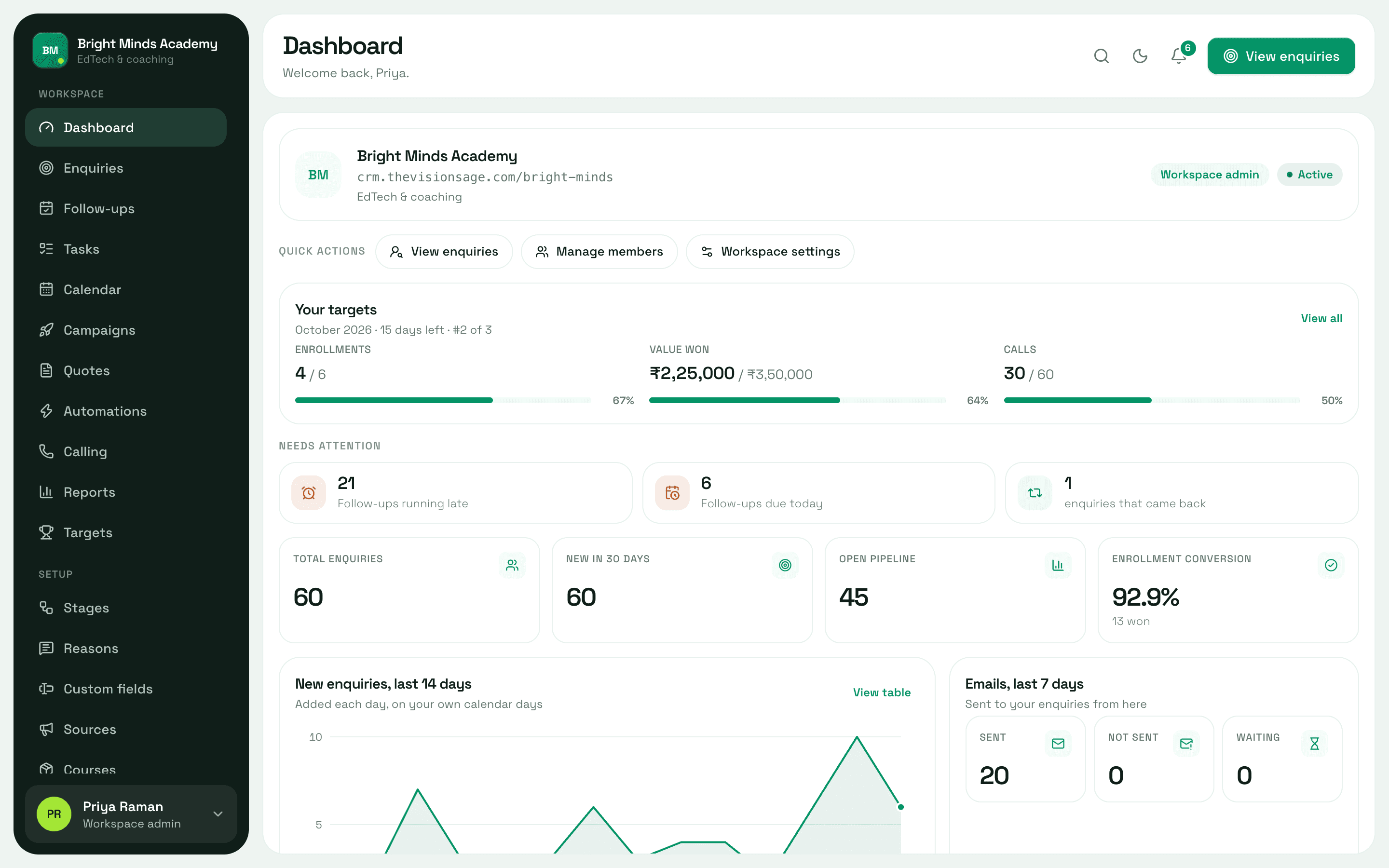
Needs attention
A short list of things someone should act on now. Each row opens the leads list already filtered to those leads:
- Late follow-ups, and ones due today.
- Leads that came back (enquired again) and nobody has handled.
- New leads nobody owns.
- Leads waiting longer than your first-response target.
New leads, last 14 days
A small chart of how many leads arrived each day. Each row can open the list for that day.
Email, last 7 days
How many emails went out and how they did.
Your target
If you have a target, a card shows your own progress bars. A team lead also sees “Your team”. The card is hidden when you have no target.
Getting started
A new workspace shows a checklist: first lead, what you sell, team, website form, own email. It ticks by itself as you do each. You can close it. People who can change settings can also Add sample data (ten example leads) and remove it later without touching real leads.
Something missing or unclear? Tell us and we will fix this page.