Targets
Monthly goals for each person, a live leaderboard, and a team view.
Open Targets. It has three tabs, each with its own address:
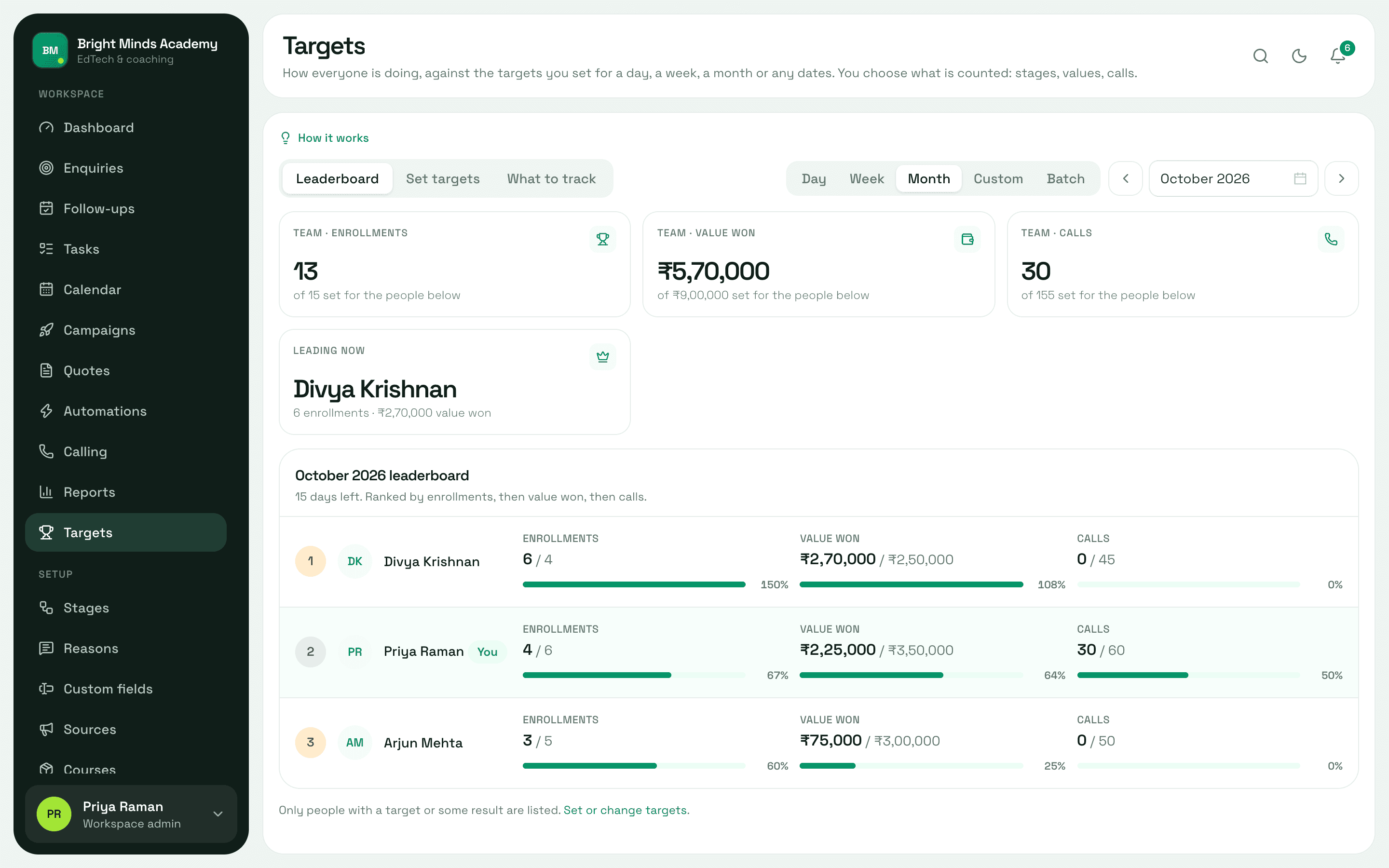
| Tab | For |
|---|---|
| Leaderboard | Everyone: team tiles, then people ranked, each with progress bars |
| Set targets | Managers: set numbers for people and teams (needs the targets-edit permission) |
| What to track | Managers: choose what counts as a result |
At the top, a period picker chooses Day, Week, Month or your own dates. Arrows step forward and back, and a button jumps to today, this week or this month.
In this section
What to trackDefine up to eight things a result can be: leads reaching a stage, or calls.Set targetsA spreadsheet-like grid: people down the side, the things you track across the top.Periods and the target monthDay, week, month, custom range or one batch, and when your month starts.The leaderboardEveryone with a target or a result, ranked, with progress bars.Team targetsA team's target can be its own number, or its members' added up.
Something missing or unclear? Tell us and we will fix this page.