Leads waiting on documents
Move a lead to Documents pending and set a follow-up. A reminder email with your checklist can go out by itself.
Follow every lead from the first call to the disbursal, with document reminders and a clear view of each person's pipeline.
15 days free. Nothing to install.
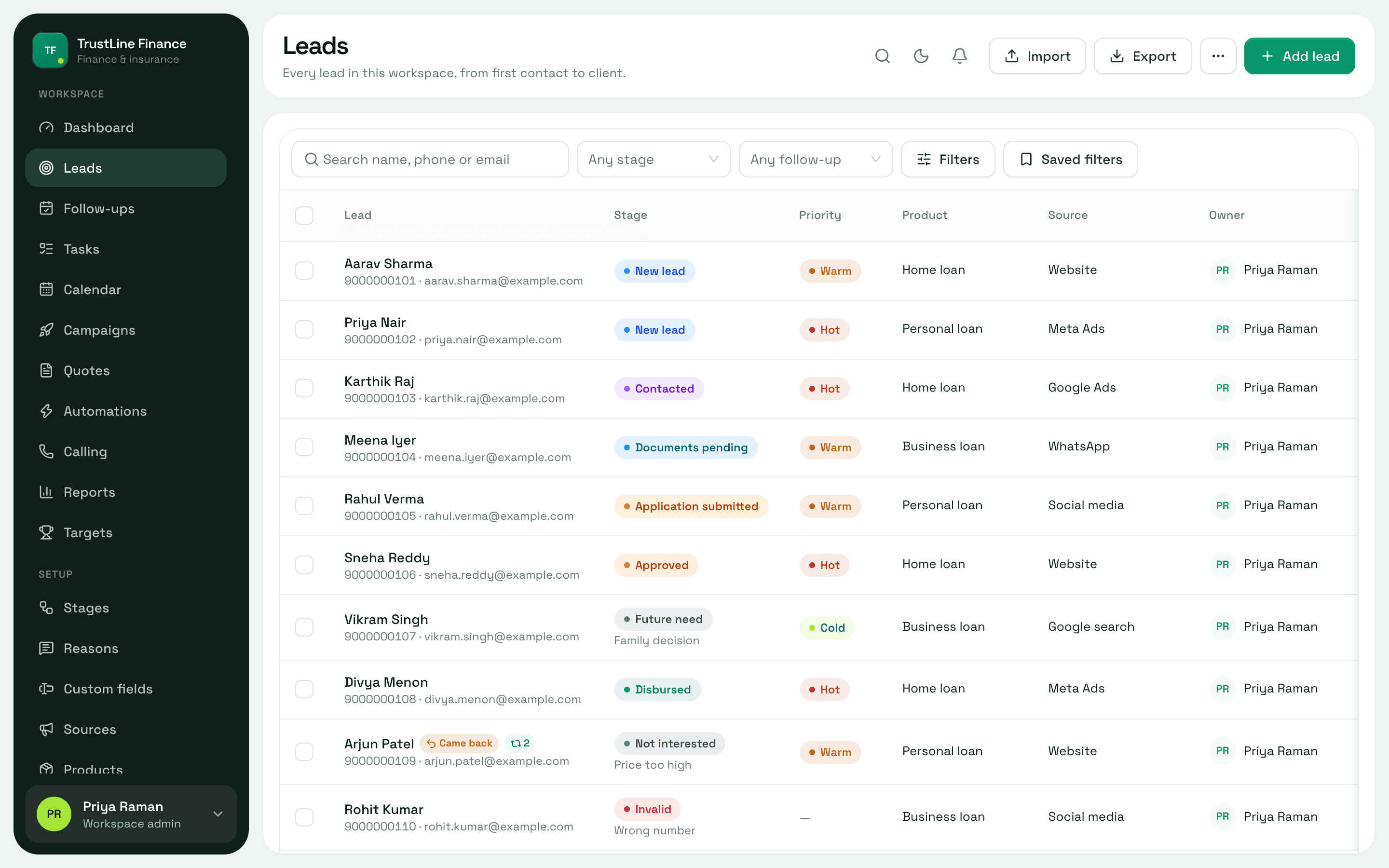
Choose your industry when you sign up and every screen, report and email uses the words your team already says.
A new workspace starts with these stages. Rename them, reorder them or add your own whenever you like.
When a lead is put on hold or lost, the CRM asks why. Starting reasons include Not eligible, Rejected by lender, Family decision and Timing, so your reports show where you lose people.
Move a lead to Documents pending and set a follow-up. A reminder email with your checklist can go out by itself.
The dashboard shows follow-ups running late and due today. Reports show leads, wins and calls per person.
Set targets for applications, value won or calls, and watch the leaderboard fill as the month goes on.
A lead marked Do not call or Do not email is respected everywhere: the call button disappears and emails are blocked.
This is how a typical lead moves through VisionSage CRM.
Yes. Each lead can carry an expected value in rupees. Value targets use it, or the product's price when a lead has none.
Yes. Make roles with exactly the permissions you want (for example no export and no delete), and give each person the role. The activity log records every change.
Yes. Upload an Excel or CSV file, match its columns, and the leads are added in the background with the source you choose.
Yes. Every new workspace starts with a 15-day free trial, so you can try it on your own leads before you pay anything.
Not your industry? Coaching & training, Schools & colleges, Real estate, Healthcare & clinics, Travel & tourism. VisionSage CRM also works for any sales team.
Leave your details and someone from our team will call you back, usually within a working day, and show you VisionSage CRM running on how you work.
By sending this, you agree to our Privacy Policy.